
Getting Started with the RTL-SDR Library in C/C++
This article provides a guide on using the RTL-SDR library in C/C++, focusing on its implementation for better performance in FFT operations. Ideal for programmers familiar with C.
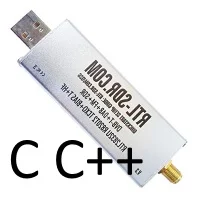
The RTL-SDR library, while more complex to implement than its Python counterpart, offers significant performance advantages, particularly for Fast Fourier Transform (FFT) operations. This tutorial assumes you have a foundational understanding of programming and compiling in C. If you require assistance, feel free to leave a comment.
To begin, you can find the library here. Compile and install it as instructed.
The convenience.h file is included with the library, and it is important to locate it for your project.
Here’s a minimal C code snippet to get you started. Begin with this simple program before diving into the more detailed rtlsdr.c file from the library.
#include <stdio.h>
#include <stdlib.h>

#include "rtl-sdr.h"
#include "lib/rtlsdr/rtl-sdr-master/src/convenience/convenience.h"

#define DEFAULT_SAMPLE_RATE 2048000
#define DEFAULT_FREQ 75000000
#define DEFAULT_BUF_LENGTH (16 * 16384)
#define MINIMAL_BUF_LENGTH 512
#define MAXIMAL_BUF_LENGTH (256 * 16384)

int main(int argc, char **argv) {
    static rtlsdr_dev_t *dev = NULL;
    int ppm_error = 0;
    uint8_t *buffer;
    int n_read;
    int gain = 0;
    int r;
    int dev_index = 0;
    uint32_t out_block_size = DEFAULT_BUF_LENGTH;

    buffer = malloc(out_block_size * sizeof(uint8_t));
    dev_index = verbose_device_search("0");

    if (dev_index < 0) {
        exit(1);
    }

    r = rtlsdr_open(&dev, (uint32_t)dev_index);
    if (r < 0) {
        fprintf(stderr, "Failed to open rtlsdr device #%d.\n", dev_index);
        exit(1);
    }

    /* Set the sample rate */
    verbose_set_sample_rate(dev, DEFAULT_SAMPLE_RATE);

    /* Set the frequency */
    verbose_set_frequency(dev, DEFAULT_FREQ);

    if (0 == gain) {
        /* Enable automatic gain */
        verbose_auto_gain(dev);
    } else {
        /* Enable manual gain */
        gain = nearest_gain(dev, gain);
        verbose_gain_set(dev, gain);
    }

    verbose_ppm_set(dev, ppm_error);

    /* Reset endpoint before we start reading from it (mandatory) */
    verbose_reset_buffer(dev);

    if (out_block_size < MINIMAL_BUF_LENGTH || out_block_size > MAXIMAL_BUF_LENGTH) {
        fprintf(stderr, "Output block size wrong value, falling back to default\n");
        fprintf(stderr, "Minimal length: %u\n", MINIMAL_BUF_LENGTH);
        fprintf(stderr, "Maximal length: %u\n", MAXIMAL_BUF_LENGTH);
        out_block_size = DEFAULT_BUF_LENGTH;
    }

    r = rtlsdr_read_sync(dev, buffer, out_block_size, &n_read);

    rtlsdr_close(dev);
    free(buffer);
}
This code provides a basic structure for utilizing the RTL-SDR library in C/C++. With this foundation, you can explore further functionalities and optimize your signal processing tasks.