Exploring the ToupTek StellaVita: A Versatile Control Box for Astrophotography
The ToupTek StellaVita is a versatile control box for astrophotography, allowing users to manage their setups wirelessly from mobile devices. It supports various brands, offering flexibility and ease of use.
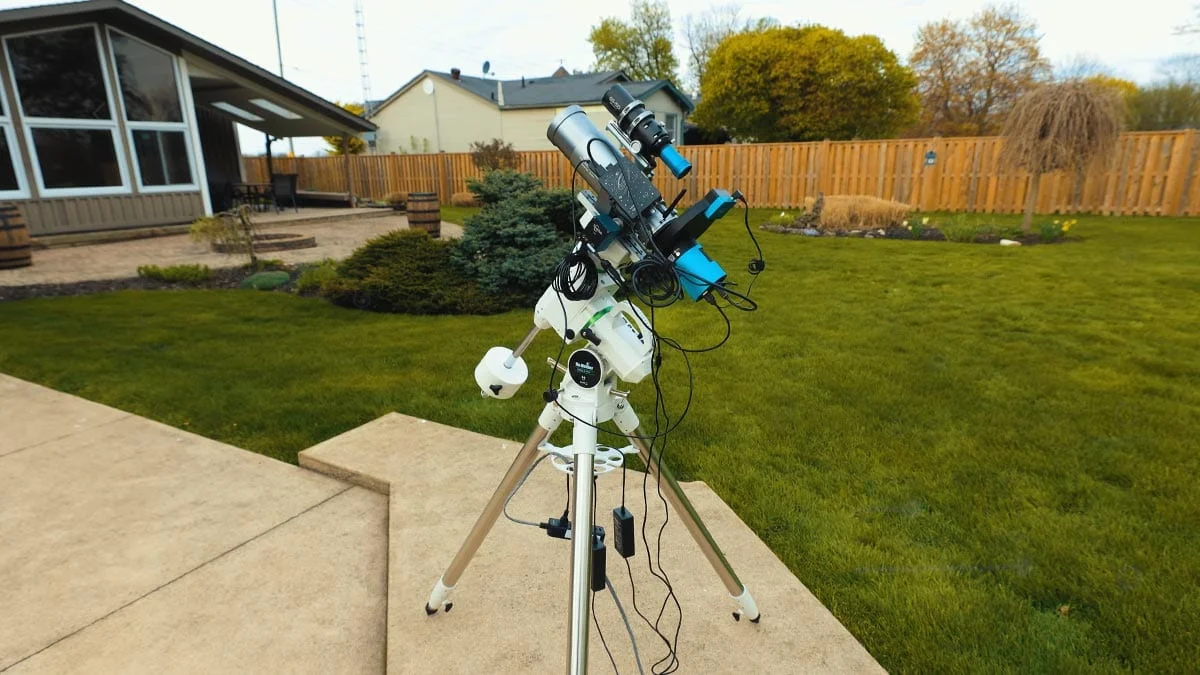
The ToupTek StellaVita is an innovative control box designed to manage an entire astrophotography setup from a mobile device. By offering compatibility with various cameras and accessories, it presents a compelling alternative to existing systems like the ASIAIR.
Understanding the ToupTek StellaVita
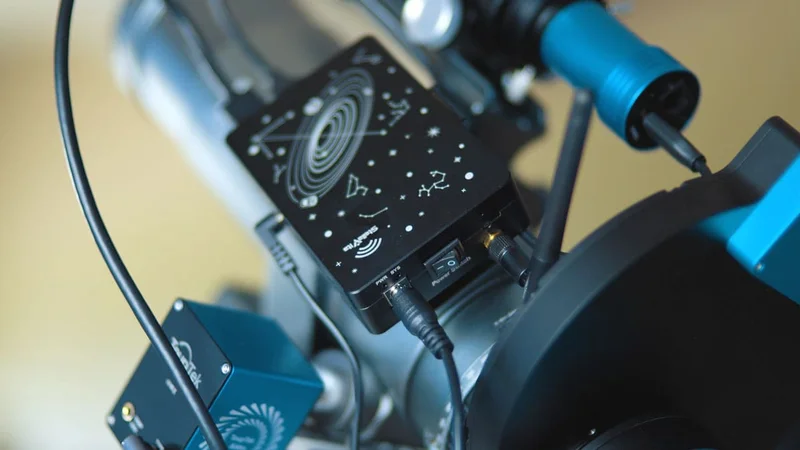
At its essence, the StellaVita serves as the central hub for astrophotography equipment. Users connect their gear directly to this compact control box, which can accommodate:
- Main camera
- Guide camera
- Mount
- Electronic focuser
- Filter wheel
- 12V-powered accessories
This all-in-one solution aims to simplify astrophotography setups by eliminating the need for a laptop, allowing users to operate their equipment wirelessly.
Once connected, the StellaVita generates its own Wi-Fi network, enabling control through a dedicated app on a smartphone or tablet. This setup allows users to manage their imaging sessions from the comfort of their homes while keeping their equipment organized outside.
StellaVita Specifications
Here’s a brief overview of the key specifications of the StellaVita:
- USB Connectivity: 2 × USB 3.0 ports, 2 × USB 2.0 ports
- Power System: 12V input (8A), 4× 12V outputs (3A each)
- Storage: SD card (UHS-I/UHS-II supported)
- Wireless Connectivity: Dual-band (2.4GHz / 5GHz)
- Software & Control: StellaVita App 2.0
- Compatibility: ToupTek, ZWO, QHY, Player One, and others.
Operational Insights
After setting up the StellaVita and powering it on, users connect to its Wi-Fi network and launch the app, which acts as a control center. The app allows users to:
- Monitor connected devices
- Adjust camera settings
- Control the mount
- Start guiding
- Run autofocus
- Plate solve and frame targets
- Build and execute imaging sequences
While the app provides a range of functionalities, new users may find the extensive options somewhat daunting at first. Familiarizing oneself with the system during daylight or under a full moon can enhance the experience when working under clear skies.
Compatibility with Various Cameras
One of the standout features of the StellaVita is its compatibility with a wide array of equipment. It supports brands like ToupTek, ZWO, QHY, and Player One, among others. This flexibility is significant for astrophotographers who often mix and match gear from different manufacturers, as opposed to being confined to a single brand ecosystem.
Comparing ToupTek StellaVita and ASIAIR
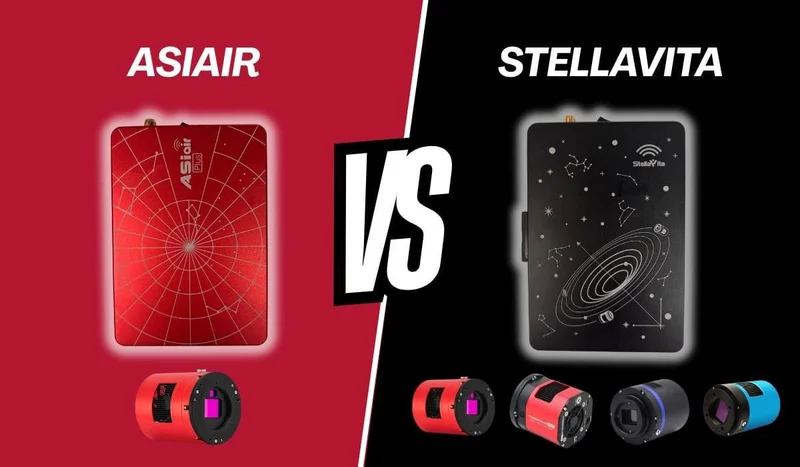
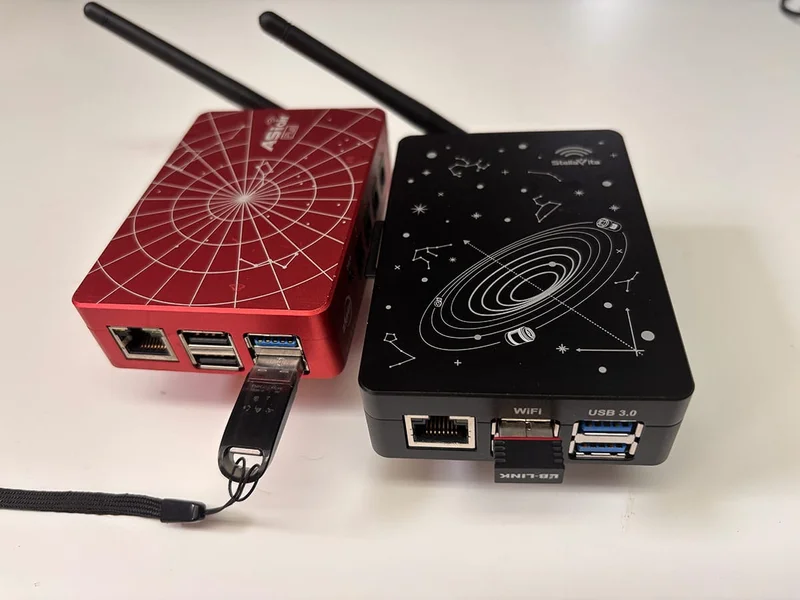
For those considering the StellaVita, a comparison with the ZWO ASIAIR is inevitable, given their similar objectives of managing astrophotography setups wirelessly via mobile devices. However, the two systems have distinct approaches:
Core Differences
- The ASIAIR operates within a closed ecosystem, primarily designed for ZWO equipment.
- The StellaVita promotes an open ecosystem, allowing for broader compatibility with various brands.
| Feature | ToupTek StellaVita | ZWO ASIAIR | |-----------------------------|-----------------------------------|--------------------------| | Ecosystem | Open (multi-brand support) | Closed (ZWO-focused) | | Camera Compatibility | ToupTek, ZWO, QHY, Player One | ZWO only (limited) | | Mount Support | Wide compatibility | Wide compatibility | | User Interface | Clean and modern | Polished and refined | | Ease of Use | Moderate learning curve | Beginner-friendly | | Wi-Fi Setup | Requires dongle for best performance | Built-in + station mode | | Autofocus Reliability | Improving, some inconsistencies | Very reliable | | File Transfer | Wi-Fi / SD card | USB drive + Wi-Fi | | Firmware Maturity | Still evolving | Mature and stable | | Flexibility | High | Limited (by design) |
Choosing the Right System
The StellaVita is ideal for users with equipment from multiple brands, those seeking a wireless workflow similar to the ASIAIR, and anyone valuing flexibility over a closed system. Conversely, if most of your gear is from ZWO, the ASIAIR may offer a more stable experience, particularly for unattended imaging.
Real-World Usage of the StellaVita
Experiencing the StellaVita in action over several nights provided valuable insights into its performance.
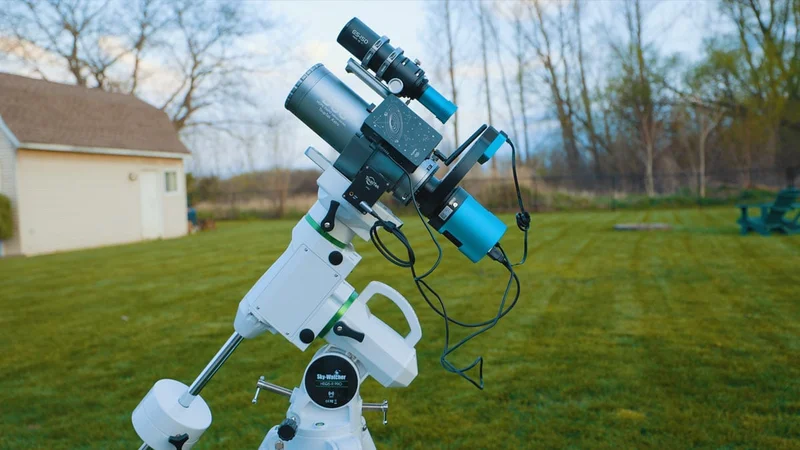
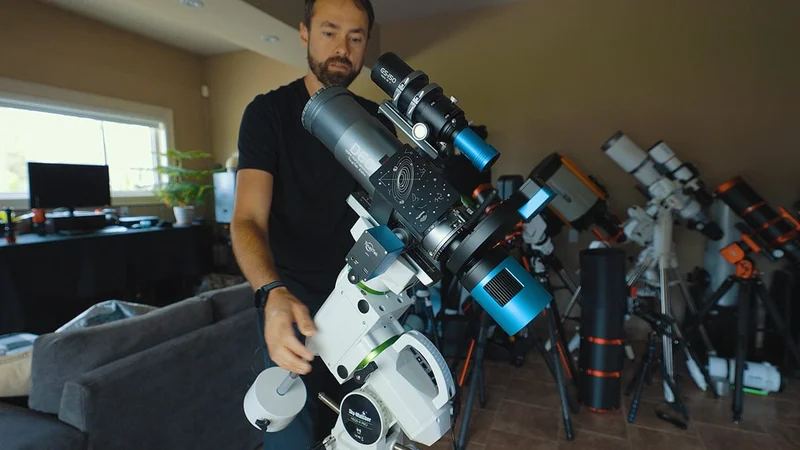
The testing setup included:
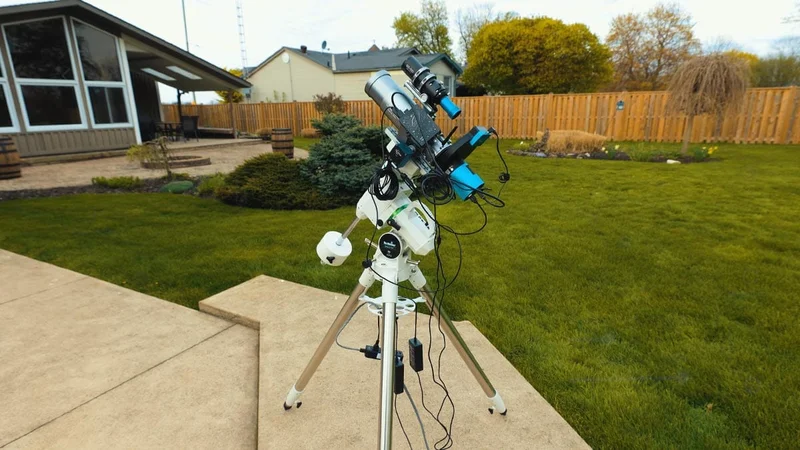
- ToupTek StellaVita controller
- ToupTek ATR2600M camera
- ToupTek HOPE D60 refractor (260mm, F/4.6)
- ToupTek AAF autofocuser
- ToupTek 662M guide camera
- Sky-Watcher HEQ5 Pro mount
Setting up the system was straightforward. Once powered, the StellaVita streamlined the rig, reducing cable clutter and enhancing organization.
Mount Control and Imaging Workflow
Mount control was a significant concern initially, but the HEQ5 Pro performed flawlessly, handling polar alignment, tracking, and guiding without issues, which was reassuring for a new system.
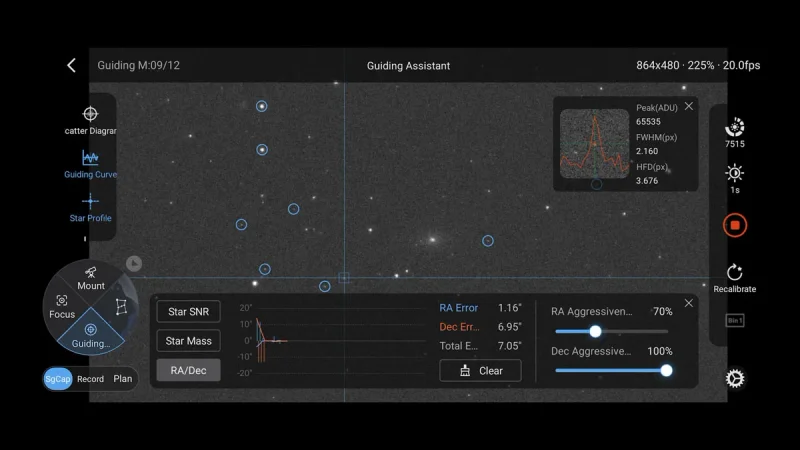
The guiding process was efficient with the 662M guide camera, and the calibration was quick. The system maintained consistent performance throughout the session, facilitating smooth target framing with the built-in sky map.
Autofocus and Overnight Performance
However, autofocus presented some challenges. While initial manual focusing was effective, automated runs revealed inconsistencies. For instance, during an imaging session of the Pinwheel Galaxy (M101), the green filter failed to focus correctly, resulting in unusable data.
Connectivity and File Management
Wireless control functioned well but had a limited range, with connectivity dropping off around 20 feet. Enhancing the setup with a Wi-Fi dongle improved performance significantly.
File management required some adjustment. Images were initially saved to internal storage, necessitating a switch to the SD card for optimal operation. Transferring files over Wi-Fi was feasible but less convenient than using a USB drive.
Considerations Before Purchasing the StellaVita
Before acquiring the StellaVita, potential users should keep the following in mind:
- Not Fully “Set It and Forget It” (Yet): While the StellaVita automates many tasks, some areas still require fine-tuning.
- Learning Curve: Expect some trial and error, especially for those new to automation.
- Open Compatibility Tradeoffs: Flexibility comes with quirks that may require management.
- Wi-Fi Setup Planning: A proper network setup is essential for optimal performance.
- File Transfer Convenience: Transferring files via Wi-Fi may not be as straightforward as using a USB drive.
- Firmware Updates: Regular updates could enhance system performance over time.
- User Engagement: As with any astrophotography setup, user involvement remains critical to achieving desired results.